Share this page


OpenText Application Quality Management
You must add the AccuWork fields to your OpenText Application Quality Management projects as user-defined fields. You can do this using the Project Customization.
-
Log in to OpenText Application Quality Management as the administrator.
-
Choose Customize from the menu.
-
Choose Project Entities from the navigation bar. The Project Entities page appears.
-
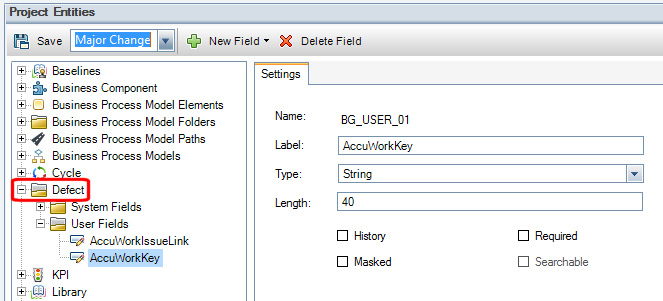
Expand the Defect folder and then select the User Fields folder.
-
Click the New Field button.
-
In the Settings tab, specify the values for the field you are adding.