
Share this page


Work in Console Mode
By default, the Server Installation Wizard runs in console mode. Navigating from one wizard step to the next requires familiarity with the various console mode command types. This section explains the various command types and the methods for entering configuration settings.
List Options
Some wizard screens present a set of options in the form of a list, where you can select only one option. For example:
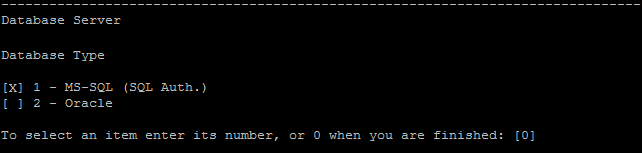
To make your selection, type the numeric value of the option you want to select, then press Enter.
The page appears again, this time with the checkmark placed by the option you selected. In this example, if you enter 2, then press Enter, the following appears:
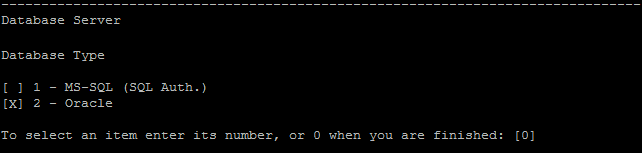
To confirm your selection, type 0 then press Enter.
Text Options
Some wizard screens require you to enter text. For example:

If the wizard detects a pre-existing value for the required field, or if there is a default value, that value appears in brackets. For example:

To ignore the existing value, type a new value then press Enter. The new value overrides the existing value.
To keep the current value, or leave the field empty, press Enter. The following option appears:

To proceed to the next step with the existing value, type 1 then press Enter.
To proceed to the next step and leave the field empty, type 2 then press Enter.



