
Share this page


Site Administration interface
This section provides information related to securing ALM Site Administration.
Access to Site Administration
To disable access to the site administration interface (not including project customization) from the outside, the following URLs can be blocked at the front end (either the load balancer or the reverse proxy):
- /qcbin/SiteAdmin.jsp
- /qcbin/addins.html
- /qcbin/servlet/tdsiteadminservlet/*
- /qcbin/debug/*
These URLs are subject to change and must be reviewed for each new major version of OpenText Application Quality Management.
Access to project customization can be restricted at the permissions level.
To secure the site administration interface:
- Change the site administrator password during the initial setup.
- Use a strong password for the site administrator.

Site Administration actions
| Action | How to Access |
|---|---|
| Site admin |
Log in to Site Administration via https://<server>/qcbin/SiteAdmin.jsp |
| Project admin |
Log in to the desktop client as a project administrator. |
| Debugging user actions |
Note: Make sure to turn off the debug when you are done. |
| Debugging | The debug console and QCSense reports are by default disabled (see the DISABLE_CONSOLE_DEBUG_INFO site parameter) since these features are for debug purposes and should be switched off immediately after debugging is finished. |
| Debugging | The DISABLE_CONSOLE_DEBUG_INFO site parameter controls access to the ALM debug info console page. |
| Debugging | The ENABLE_JMX_CONSOLE site parameter enables the JMX Console for debugging purposes. |
| Debugging | The ENABLE_PERFORMANCE_MONITOR_BIRT_REPORTS site parameter allows you to generate QC Sense reports for debugging purposes. |
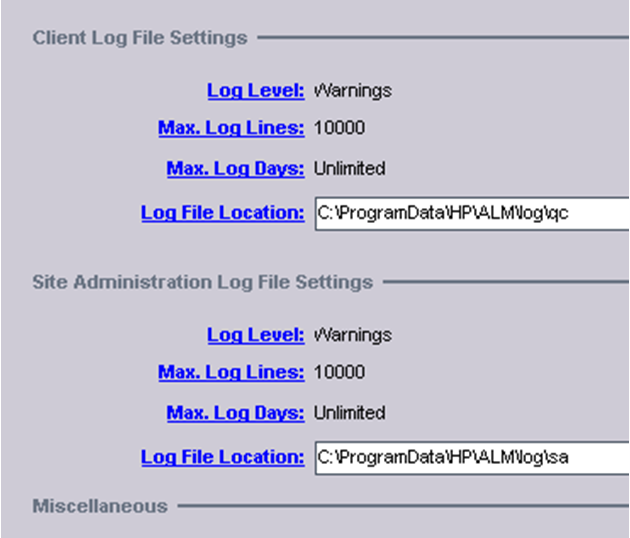
| Debugging | The DUMP_REQUEST_HEADERS site parameter enables you to view request headers in the logs. This is helpful when you are configuring external authentication and are looking for the correct header that contains the user ID. To view this information, you must also set the site administration or client Log Level to debug. |
Note: All debug features should be used for debug purposes only and should be switched off immediately after debugging is finished.



