Share this page


Use-case: Syncing Jira with OpenText Application Quality Management with team distribution
This use-case describes how to synchronize Jira Stories and Sprint Bugs with OpenText Application Quality Management Requirements and Defects, and route Requirements to the correct branch based on the Jira Team.
Objective
The objective of this use case is to synchronize Jira Stories with OpenText Application Quality Management Requirements and Jira Sprint Bugs (Sub-Tasks) with OpenText Application Quality Management Defects. Requirements are routed to the correct OpenText Application Quality Management branch based on the Jira team. Story-to-Bug relationships are maintained as Requirement-to-Defect links.
The recommended structure is a dedicated top-level Requirement folder or branch in AQM for each Jira Team.
Step 1: Define the OpenText Application Quality Management data source
Use a shared OpenText Application Quality Management data source when projects are created from the same template. If the projects do not use the same template, create separate OpenText Application Quality Management data sources.
Set the default Requirement folder to the root Requirements folder to allow Connect to locate the synchronized requirements.
Create the following fields in OpenText Application Quality Management:
-
JIRA KEY (String): Unique Jira issue identifier.
-
JIRA PROJECT (String): Jira project information.
-
Teams (String or List): Determines the target Requirement branch.
Step 2: Create the Requirement structure
Create one OpenText Application Quality Management Requirement branch for each Jira team.
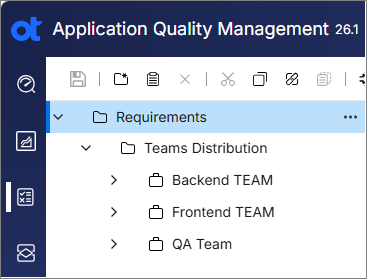
Step 3: Configure type and field mappings
Configure the following type and field mappings:
-
Map Jira Story to OpenText Application Quality Management Requirement.
-
Map Jira Sprint Bug (Sub-Task) to OpenText Application Quality Management Defect.
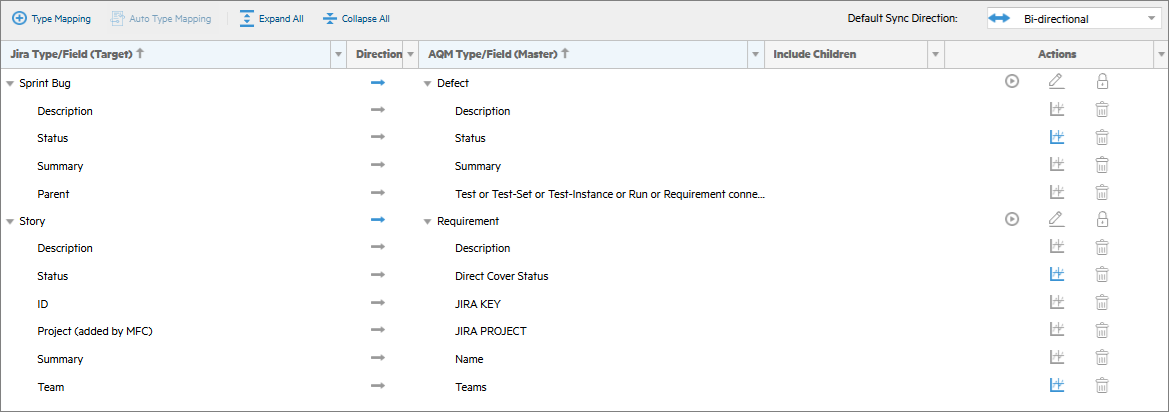
Configure additional field mappings and value conversions as required.
Step 4: Create project type mappings
Create a dedicated project type mappings, or a syncset for the Jira project.
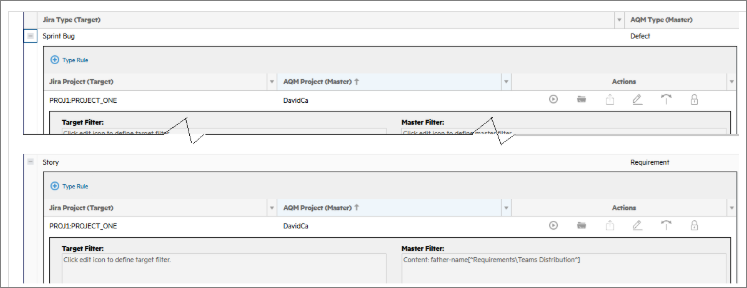
Step 5: Configure server-side filters
This section describes how to configure server-side filters on Jira and OpenText Application Quality Management.
Jira filters
Use a dedicated Connect board for each Jira project. For example:
project = PROJ1
You can add criteria with a free-form filter. For example:
project = PROJ1 AND status = "In Progress"
Do not reuse or modify board filters after the synchronization has been configured.
OpenText Application Quality Management filters
Use a dedicated public filter or free-form filter that returns only the target Requirement branch. For example:
father-name[^Requirements\Teams Distribution^]
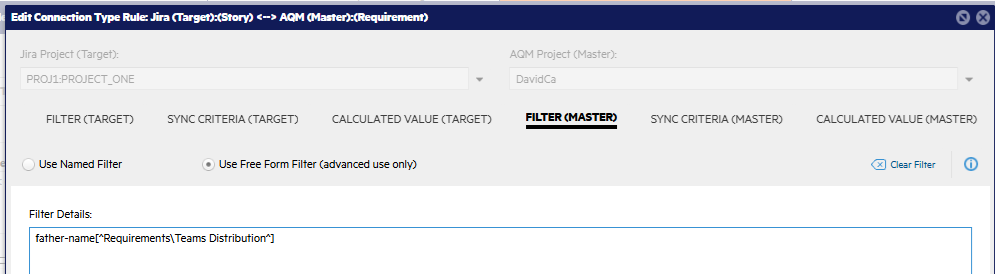
Free-form filter benefits
Free-form filters are recommended because:
-
The filter definition is stored directly in the synchronization configuration.
-
Synchronization behavior is more predictable.
-
Changes to shared named filters cannot unintentionally affect synchronization.
Step 6: Configure master calculated values
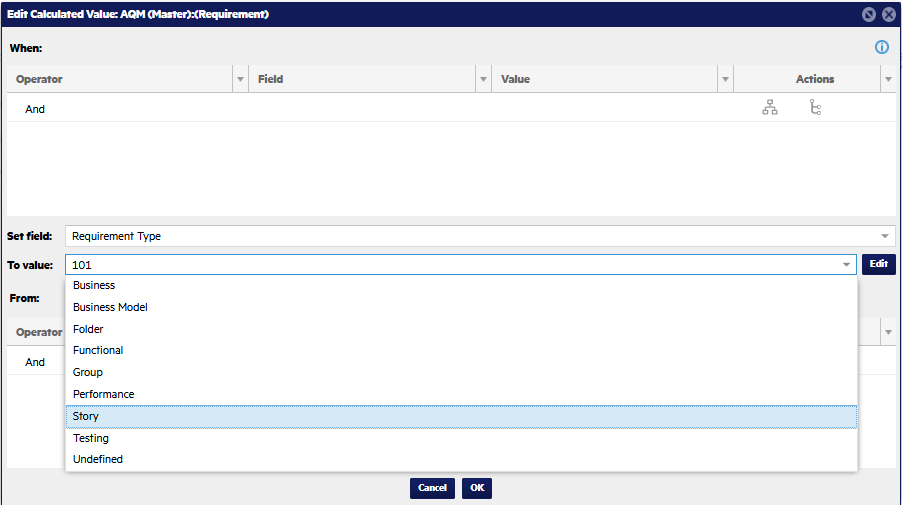
Perform the following steps for the Story-to-Requirement mapping:
-
Set the target Requirement type.
-
Dynamically assign the parent folder based on the Jira Team value.
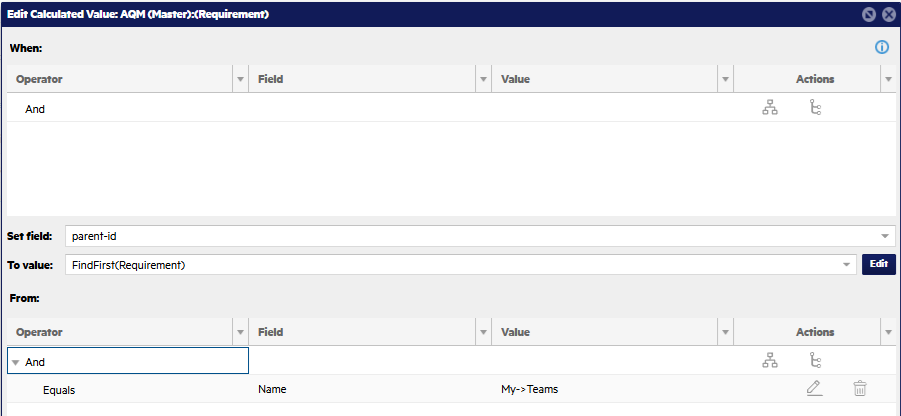
This places each synchronized Requirement in the correct OpenText Application Quality Management branch while preserving Requirement-to-Defect relationships generated from the Jira Story-to-Bug hierarchy.