Share this page


Capture sidebar
This sidebar enables you to add a snapshot to a test step.
| Option | Description |
|---|---|
| UI Example |
 |
| To access - Component snapshot |
To add a Component snapshot for OpenText Application Quality Management users:
|
| To access - Step snapshot |
To add a Step snapshot:
|
| Important information |
|
 icon.
icon. User interface elements are described below:
|
UI Elements |
Description |
|---|---|

|
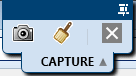
Capture. Captures the current screen and closes the sidebar. |

|
Annotate Screen Capture. Captures a screenshot of the screen and opens it in the annotation workspace. For details, see the Annotation Tools sidebar. |

|
Cancel. Ends the capture session without performing a screen capture. |