Share this page


Run Attachments dialog box
This dialog box displays run attachments, and enables you to add, edit, or remove attachments (not available for business component steps).
| Option | Description |
|---|---|
| UI Example | 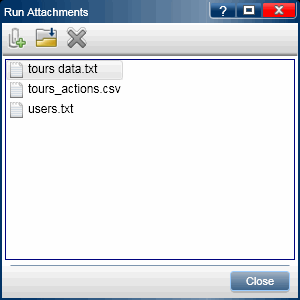 |
| To access |
In the Run Control sidebar click the Run Attachments button
|
 .
.User interface elements are described below:
|
UI Elements |
Description |
|---|---|

|
Add Attachment. Enables you to browse to a file and add it as an attachment. |

|
Open Attachment. Opens the selected attachment in the default program for the attachment's file type. |

|
Remove Attachment. Removes the selected attachment. |