What's new in 24.1 – 24.4

This section describes the features that were introduced or enhanced in version 24.1 – 24.4.

What's new in 24.4

This section describes the features that were introduced or enhanced in 24.4.

Area Enhancement

User experience

  • Distribution map. An Export image option is now available in the cloud location distribution map. This allows you to download a visual representation of the selected locations. For details, see Deploy on cloud LGs.

Data and analytics
  • Test Run archiving. A new mechanism automatically archives test results when they exceed 1,000 runs. For details, see Automatic archiving.

  • Integration with Datadog. A new integration with Datadog enables you to gather metrics collected by the Datadog monitoring tool and add them to your load test. For details, see Add a Datadog monitor.

Modernization
  • User interface. Several pages in the test definition area of the user interface were redesigned, providing a more modern look and feel. For example, the Runs and Trend pages were modernized.

VuGen and protocols

The VuGen and third-party protocols include the following enhancements. For details, see the VuGen What's new.

  • TruClient 2.0 - Web. You can now add TruClient 2.0 - Web scripts to your load tests (as a technical preview).

Deprecation notices
  • Quick Start options. You can no longer create a load test from HAR or CSV files, or REST API calls.

  • Bamboo. The integration with Bamboo was removed.

For a complete list of deprecated items and planned removals, see Deprecated features and functionality.

What's new in 24.3

This section describes the features that were introduced or enhanced in 24.3.

Area Enhancement
What's new video

Watch the What's new video:

User experience

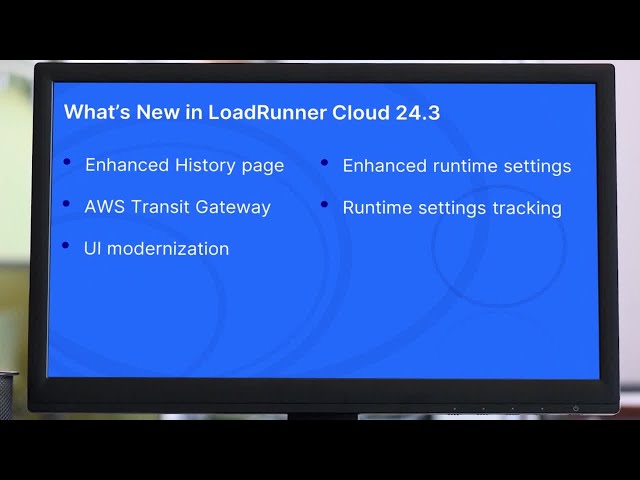
  • Additional test run events. The History tab now shows additional test run events indicating who triggered, stopped, or deleted a test run and when it was done. For details, see History.

Data and analytics
  • TruClient snapshots. You can now increase the number of snapshots per test run that can be generated for TruClient scripts. For details, see Dashboard limitations.

Load testing and modeling
  • Track runtime setting changes. You can now track runtime setting changes for TruClient and DevWeb scripts in the user interface.

    • Changes made to runtime settings associated with a load test (local mode) are displayed on the History page of the associated load test. For details, see Load tests tab.

    • Changes made in global mode are displayed on the test assets Scripts page. For details, see View script details.

Cloud and SaaS
  • Extended dedicated VPC support. The Dedicated VPC add-on now supports the AWS VPC Transit Gateway. This is in addition to AWS VPC Peering, AWS Direct Connect, and AWS PrivateLink. For details, see Connect to a dedicated VPC.

Integrations and ecosystem
Modernization
  • User interface. Several areas of the user interface were redesigned with a modern look and feel. The Load distribution area was modernized with a map view. For details, see Generate single user performance data.

VuGen and protocols

Virtual User Generator (VuGen) includes the following enhancements. For details, see the VuGenWhat's new.

  • Version 24.3. OpenText Core Performance Engineering supports VuGen and OneLG version 24.3. For details, see Support Matrix.

VuGen and third-party protocols include the following enhancements. For details, see the VuGenWhat's new.

  • TruClient 2.0 - Web. You can now add TruClient 2.0 - Web scripts to your load tests (as a technical preview).

  • Oracle, .NET, RDP. An enhanced Runtime Settings user interface is in use for the Oracle, .NET, and RDP protocols. For details, see Runtime settings.

Deprecation notices
  • CLI tools. NodeJS and Java CLI tool integration are no longer supported.

  • Silk Performer scripts. Silk Performer scripts will no longer run on cloud-based generators. You can still run them on on-premises load generators.

For a complete list of deprecated items and planned removals, see Deprecated features and functionality.

What's new in 24.2

This section describes the features that were introduced or enhanced in 24.2.

Area Enhancement
What's new video

Watch the What's new video:

User experience
  • Enhanced test initialization process. The test initialization window was improved to include more details about the status of all planned Vusers in real time. You can now more easily learn the number of Vusers ready to run, failed Vusers, Vusers pending provisioning, and how long ago the last Vuser was provisioned. For details, see Run a load test.

  • New language support for Japanese. Japanese is now supported. You can use the navigation menu to select your preferred language for the user interface. For details, see Banner buttons.

Data and analytics
  • Extended error analysis capability. Error messages for JMeter scripts now have unique error IDs. This lets you view multiple errors for each script in the OpenText Core Performance Engineering dashboard. In addition, the messages now include an HTTP response code and a JMeter sampler when it's available.

  • Exported test run information. Additional load generator details were added to the error and IPs CSV log files. For details, see Run results actions.

Load testing and modeling
  • Enhanced stopping mechanism (Beta). Added the option to gradually stop a test. This lets Vusers finish the current iteration and the tear down before exiting. For details, see Run the test.

  • Track runtime setting changes. You can now track runtime setting changes for Web - HTTP/HTML scripts in the user interface.

    • Changes made to runtime settings associated with a load test (local mode) are displayed on the History page of the associated load test. For details, see Load tests tab.

    • Changes made in global mode are displayed on the test assets Scripts page. For details, see View script details.

  • Test settings. For Tenants configured to use the dedicated VPC capability, the test setting to enable the dedicated VPC option is set to off by default for newly created tests. This settings remains unchanged for existing tests For details, seeConnect to a dedicated VPC.

Cloud and SaaS
  • New location for cloud load generators. The Netherlands in Google Cloud Platform (GCP) was added as a new location for cloud load generators. For a complete list of the distribution locations, see Vuser load distribution.

  • Extended dedicated VPC support. The Dedicated VPC add-on now supports AWS VPC PrivateLink. This is in addition to AWS VPC Peering and AWS Direct Connect. For details, see Connect using AWS PrivateLink.

Integrations and ecosystem
  • Docker image. The OneLG Docker image was renamed opentext_onelg_ubuntu. For details, see Deploy and configure the Docker container.

  • Public API. New capabilities have been added to the public API that enable you to:

    • Retrieve a list of all locations supported for cloud-based load generators.

    • Receive email address of users associated to the tenant in the MyAccount portal.

    For details, see Public API.

Modernization
  • User interface. Several areas of the user interface were redesigned with a modern look and feel. This includes the Single user performance page and the Scripts test asset page. The existing functionality has been preserved. For details, see Generate single user performance data and View script details.

VuGen and protocols

Virtual User Generator (VuGen) includes the following enhancements. For details, see the VuGen What's new.

  • Version 24.1. OpenText Core Performance Engineering supports VuGen and OneLG version 24.1. For details, see Support Matrix.

VuGen and third-party protocols include the following enhancements. For details, see the VuGen What's new.

  • Java protocols. An enhanced Runtime Settings user interface is in use for the Java protocols.

  • Web Services protocol. An enhanced Runtime Settings user interface is in use for the Web Services protocol.

Deprecation notices
  • CLI tools. Support for the NodeJS and Java CLI tools is planned for removal in the next version of OpenText Core Performance Engineering.

What's new in 24.1

This section describes the features that were introduced or enhanced in 24.1.

Area Enhancement
What's new video

Watch the What's new video:

User experience
  • New version format. Introduced a new version number format (YEAR.QUARTER). Following this upgrade, the version of OpenText Core Performance Engineering will be 24.1.

  • Script validation. A new capability is introduced which enables you to quickly validate scripts on on-premises load generators, at no cost, before running them in a load test. During the validation process, you can analyze Vuser logs in real time. For details, see Validate on-premises load generators.

  • Enhanced push notification integrations. The integrations with Microsoft Teams and Webex have been extended to include a new event at the project level. You can now have a notification sent to your favorite channel when one of your OpenText Core Performance Engineeringagents is disconnected. For details, see Event management.

  • Block manual script upload in specific projects. You can now block manual script upload in specific projects. This configuration option is available using the public API only. For details, see Public API.

Data and analytics
  • Store transaction data on OPLG. Added the ability to collect transaction data directly from on-premises load generators. This enables you to analyze performance metrics for each load generator.

  • Enhanced load generator health monitoring. Multiple health measurements per interval are collected to better reflect the load generator’s CPU and memory utilization. For details, see Load generator health monitoring.

Cloud and SaaS
  • Enhanced test initialization process. The early start feature enables you to manually start a test as soon as OpenText Core Performance Engineering reaches the predefined threshold for successfully provisioning Vusers. This saves having to wait for all the planned Vusers to be ready. For detail, see Run the test.

Integrations and ecosystem
  • Extended public API. A new capability has been added to the OpenText Core Performance Engineering public API that enables you to duplicate a test. For details, see Public API.

  • Agent configuration process. When installing and configuring OpenText Core Performance Engineering Windows-based agents, you now need to insert the OpenText Core Performance Engineering server URL into the Misc tab. You can copy it from the browser address bar. For details, see Misc tab.

Modernization
  • Load profile page enhancements. The load test Load profile page has been redesigned with improved layout, accessibility, and flow. This includes the following:

    • The script scheduler preview is now displayed in a dedicated pane.

    • The scheduler preview pane has a streamlined process for adding a ramp up, duration, and tear down step to Advanced schedules.

    • For Manual and Advanced scripts, you now set the number of Vusers and configure the local pacing and duration settings in the scheduler preview pane only, instead of in the script list.

    • When the Test settings > Add Vusers option is selected in the Run configurations section, the script switch in the Load profile page is now set to off for Advanced schedule scripts, and you cannot enable the script. You can still edit the script.

    • When Advanced scheduling is selected for a script in the Load profile page, the Add Vusers option is unavailable in Test settings. If you subsequently turn off the advanced script and then select Add Vusers in Test settings, the option to turn the script back on is unavailable.

    For details, see Create a load test profile.

  • SLA page updates. The load test SLA page includes the following updates:

    • The SLA page has been redesigned with a modern look, feel, and layout.

    • Added a new SLA type which sets test status to Failed if one or more Vusers fail.

    • Transactions are now conveniently grouped by script in the SLA grid.

    • You can hide an SLA in the grid if you are not using it.

    • You can accept all percentile TRT value suggestions from the toolbar.

    • The percentile goal setting where you set the value for SLAs and all transaction measurements was moved to the Test settings > Run configurations page. For details, see Run configurations.

    For details on all the SLA updates, see Configure SLAs.

  • What's new page. The What's new page in the OpenText Core Performance Engineering user interface was removed from the banner. It is now available from the Help menu. For details, see Banner buttons.

VuGen and protocols

Virtual User Generator (VuGen) includes the following enhancements. For details, see the VuGenWhat's new.

  • Version. OpenText Core Performance Engineering supports VuGen and OneLG version 24.1 For details, see Support Matrix.

  • Recorder extension for Chrome (Tech preview). You can now install a Web Recorder extension in Chrome to record events for a Vuser script. This allows you to create scripts in cases where the security policy blocks the standard VuGen recorder.

  • Integration with Performance Engineering. SSO/browser-based authentication is now supported for the integration between VuGen and OpenText Core Performance Engineering.

  • CyberArk integration. This release includes an integration with CyberArk, providing support for use of CyberArk identity security for privileged accounts. A new API enables you to connect to the CyberArk vault and query for passwords.

VuGen and third-party protocols include the following enhancements. For details, see the VuGen What's new.

  • TruClient protocols:

    • Chromium browser support: For version 120

    • TruClient Browser: Now equivalent to Firefox version 118

    • Security updates

    • An enhanced Runtime Settings user interface is in use for the TruClient - Mobile Web and TruClient - Native Mobile protocols.

  • Citrix protocol. The following new APIs to handle window events are available for the Citrix protocol:

    • ctrx_execute_on_window_activation

    • ctrx_execute_on_window_destroy

    • ctrx_execute_on_window_name_change

  • SAP protocols:

    • This release includes additional correlation rules for SAP_NWBC application.

    • An enhanced Runtime Settings user interface is in use for the SAP - Web and SAP GUI protocols.

OpenText Performance Engineering for Developers include the following enhancements. For details, see the What's new.

  • SSE support. DevWeb scripts now support testing for server-sent events (SSE). SSE is a server push technology, enabling the client to receive automatic updates from a server through an HTTP connection. You can use the new SSE API to establish a connection to the AUT, and receive server-sent event notifications.

  • Think time. The SDK includes a new API, thinkTimeAsync, that does not block asynchronous background activities.

  • Replay summary. The replay summary for your script now includes data on the hits per host (based on hostname). This data is available for DevWeb scripts in all Performance Engineering products.

  • Mask and encrypt data . The mask and encrypt functionality is now available for whole folders. This enables you to mask or encrypt confidential data in all files in a folder.

  • Proxy Recorder. You can now customize the delimiter used for HTTP query strings.

See also