Share this page


What's new in 2021 – 2021 R2
Check out the new features and improvements for OpenText Enterprise Performance Engineering 2021, 2021 R1, and 2021 R2.
Note: OpenText Enterprise Performance Engineering uses some LoadRunner Professional tools. For details of what's new in OpenText Professional Performance Engineering Professional, see the LoadRunner Professional What's New.
What's New videos
Watch the What's New in OpenText Enterprise Performance Engineering 2021, 2021 R1, and 2021 R2 videos:
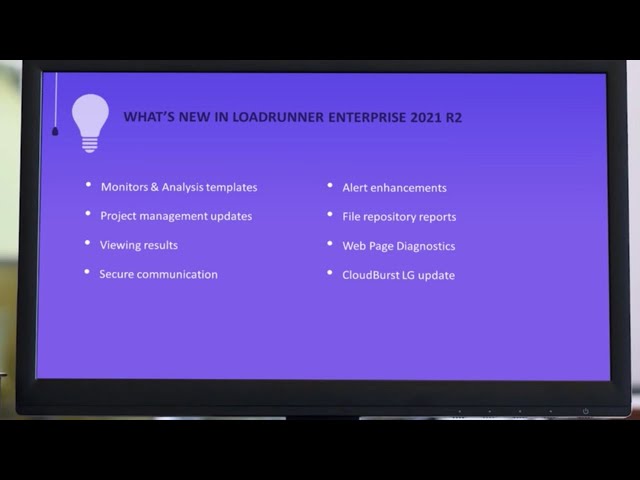
What's New in 2021 R2
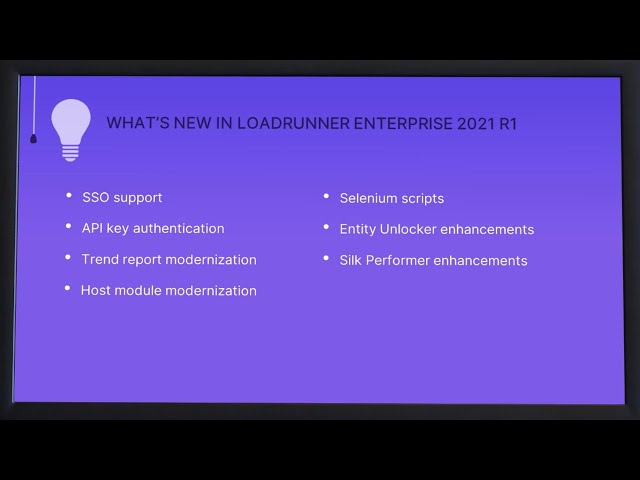
What's New in 2021 R1
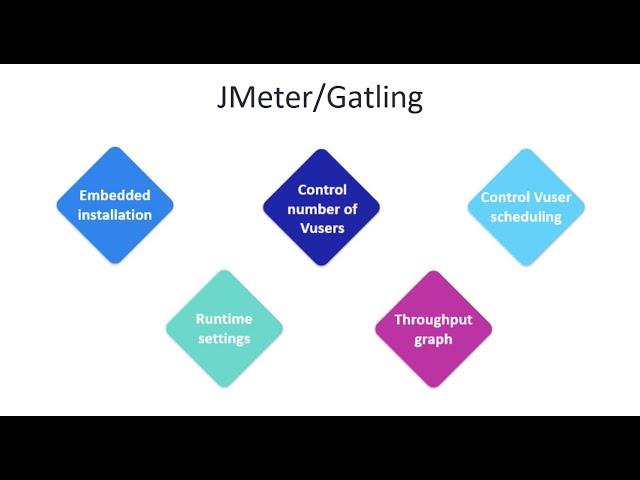
What's New in 2021

What's new in OpenText Enterprise Performance Engineering 2021 R2
OpenText Enterprise Performance Engineering 2021 R2 contains the following new features and enhancements.
| Area | Enhancement |
|---|---|
|
Monitors and Analysis templates modernization |
This release includes the following updates:
|
| Project management updates |
This release includes the following project management updates:
|
| Viewing results |
This release includes the following enhancements for viewing results:
|
| Secure communication (TLS/SSL) |
Added the option to configure the OpenText Enterprise Performance Engineering server to communicate using a secured TLS/SSL connection as part of the Configuration wizard. For details, see Install. |
| File repository reports |
Added reports to track file repository usage and see how much storage space is used for each project.
|
| Alert enhancements |
This release includes the following alert enhancements:
|
| Web Page Diagnostics |
Added support for Web Page Diagnostics. For details, see Enable Web Page Diagnostics. |
| License management update |
Tenant Admin users now have read-only permissions on the Licenses module, except for license keys which are hidden. They also have restricted permissions on public hosts. For details, see Predefined admin roles. |
| CloudBurst load generator update |
Added support for Java protocols to CloudBurst load generators. Note: CloudBurst load generators are no longer supported in OpenText Enterprise Performance Engineering. |
| Maintenance task update |
When running the Check Host maintenance task, you can now limit the number of concurrent check host operations. This reduces load on IIS and the server, and improves system response time and performance. For details, see Check Host Task. |
| REST APIs | OpenText Enterprise Performance Engineering REST APIs now include the following updates:
|
What's new in version 2021 R1
OpenText Enterprise Performance Engineering 2021 R1 contains the following new features and enhancements.
| Area | Enhancement |
|---|---|
|
SSO support enhancements |
You can now use SSO to authenticate VuGen, Analysis, and Entity Unlocker to OpenText Enterprise Performance Engineering when SSO authentication is enabled on the OpenText Enterprise Performance Engineering server. This gives you a secure connection to OpenText Enterprise Performance Engineering using a single set of credentials. For details, see Integrations. |
| API key authentication |
You can now use API access keys to provide a secure authentication mechanism for external applications accessing OpenText Enterprise Performance Engineering's API. Applications that need authentication include:
For details, see Set up API access. |
| Trend report modernization |
The trend report feature was simplified and has a modern look and feel. You can use the new interface to more easily create reports, manage test runs trended in reports, and add trend views and customized categories to reports. For details, see Define a trend report. |
| Hosts module modernization |
The Hosts module interface is now updated using the latest technologies. This is part of ongoing modernization to OpenText Enterprise Performance Engineering. For details, see Manage hosts. |
| Selenium scripts |
Selenium scripts are now supported in OpenText Enterprise Performance Engineering performance tests. For details, see Selenium tests. Note: This feature is currently available as tech preview. |
| Entity Unlocker improvements |
Administrators now have more options with the Entity Unlocker application.
In addition, the Entity Unlocker is now supported when OpenText Enterprise Performance Engineering is configured with SSO authentication. For details, see SSO authentication. |
| DevWeb script enhancements |
You can now use auto-complete to select functions when editing a DevWeb script within OpenText Enterprise Performance Engineering. For details, see OpenText Performance Engineering for Developers scripts. |
| System health enhancements |
When running the check host maintenance task, you now have the ability to exclude specific hosts. For details, see Schedule automated maintenance tasks. |
| Help Center Share button |
The Help Center toolbar now include a new Share page button
|
 :
:What's new in OpenText Enterprise Performance Engineering 2021
OpenText Enterprise Performance Engineering 2021 contains the following new features and enhancements.
| Area | Enhancement |
|---|---|
| Create a project based on an existing one |
You can now create a new project by copying the contents and test assets of an existing project. For details, see Create a project from an existing project. |
| Service Virtualization monitor |
Added support for measuring statistics related to service virtualization during your test run. This monitor supports measuring simulated services on both Windows and Linux environments. For details, see Service Virtualization monitor. |
| Dynatrace Managed monitor |
Added support for Dynatrace Managed monitors, in addition to the existing Dynatrace SaaS and AppMon monitors. For details, see Dynatrace SaaS and Managed monitors. |
| JMeter script enhancements |
The enhancements for JMeter tests enable you to:
For details, see JMeter tests. |
| Gatling script enhancements |
The enhancements for Gatling tests enable you to:
For details, see Gatling tests. |
| Alert enhancements |
This release includes the following alerting enhancements:
For details, see Alert rules. |
| Cloud test enhancements |
This release includes the following enhancements to cloud tests:
|
| Multi-tenancy enhancements |
Added the following new features for multi-tenant environments to the Site Management console:
|
| Multilingual support enhancements |
Added support for displaying Spanish and Italian in the user interface. For details, see Sign in and Sign in to Admin area. |
 See also: